
XROO makes it easy to host krpano virtual tours on the web. Without any server setup, simply upload your krpano files to XROO, and you’ll get an instant URL to share and distribute your tour. Follow this guide to host your krpano virtual tours step-by-step.
Step 1: Export Your krpano Virtual Tour
Before hosting your krpano virtual tour, export it in a web-compatible format. Follow these steps to ensure all necessary files are included.
- Recommended Files
- To ensure the best performance and compatibility, we recommend including the following files when exporting your virtual tour.
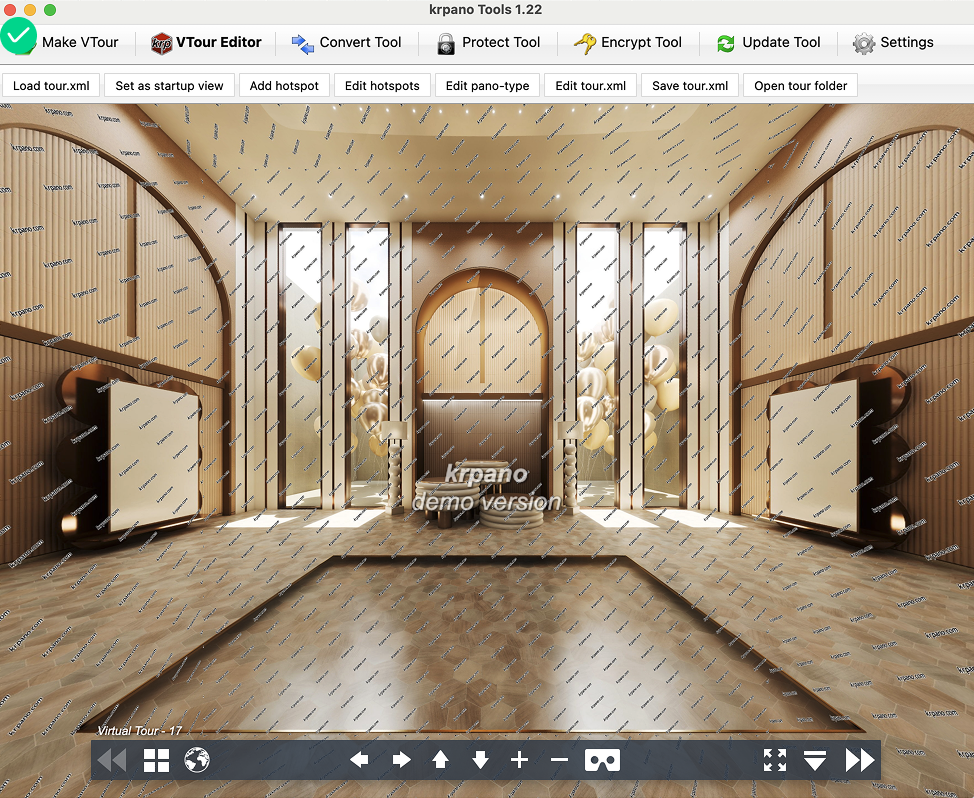
- Before exporting, confirm that your virtual tour works as intended using the VTour Editor in krpano.
- Use the Make VTour function to generate the necessary files. This will create a folder containing the
index.htmlfile and all related resources.
- Export Settings
- Make VTour (Build): Generates web-ready files for hosting.
- Essential Files
- To ensure the best performance and compatibility, we recommend including the following files when exporting your virtual tour
index.html: The main file that launches the virtual tour in a web browser.panosfolder: Contains resources like images and videos..jsJavaScript files: Support the tour’s functionality..xmlconfiguration files: Define the tour’s settings, scenes, camera positions, and hotspots.
- Verify Exported Files
- The files will be saved to the directory you specify. Ensure the exported folder structure looks like this:
├── tour.html
├── /panos (Resource folder - images, videos, etc.)
├── /js (JavaScript folder - supports tour functionalities)
├── /xml (Configuration folder - tour settings and data)
Make sure the folder structure is flat and accessible directly from the top-level folder.
Step 2: Upload Files to XROO
After exporting your virtual tour files from krpano, follow these steps to upload them to XROO.
Login to XROO: Access your XROO account and sign in.
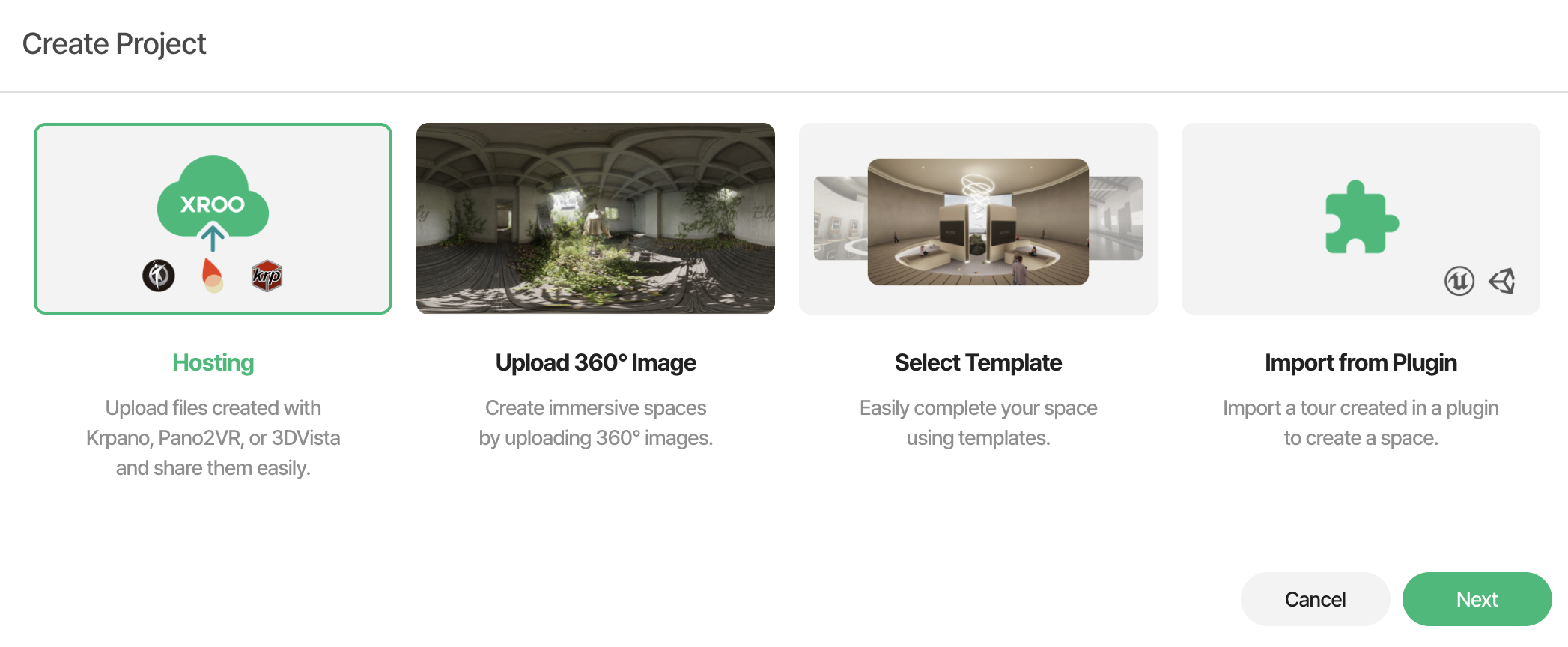
Create a New Project: Navigate to the "Create Project" menu and select the "Hosting" option.
3. Upload Files:
- Select and upload the entire folder containing the exported krpano virtual tour files. Ensure the folder includes the recommended files such as
index.htmlfile. - You can upload the folder directly or compress it into a
.zipfile for convenience.
- Select and upload the entire folder containing the exported krpano virtual tour files. Ensure the folder includes the recommended files such as
3-1. ZIP File
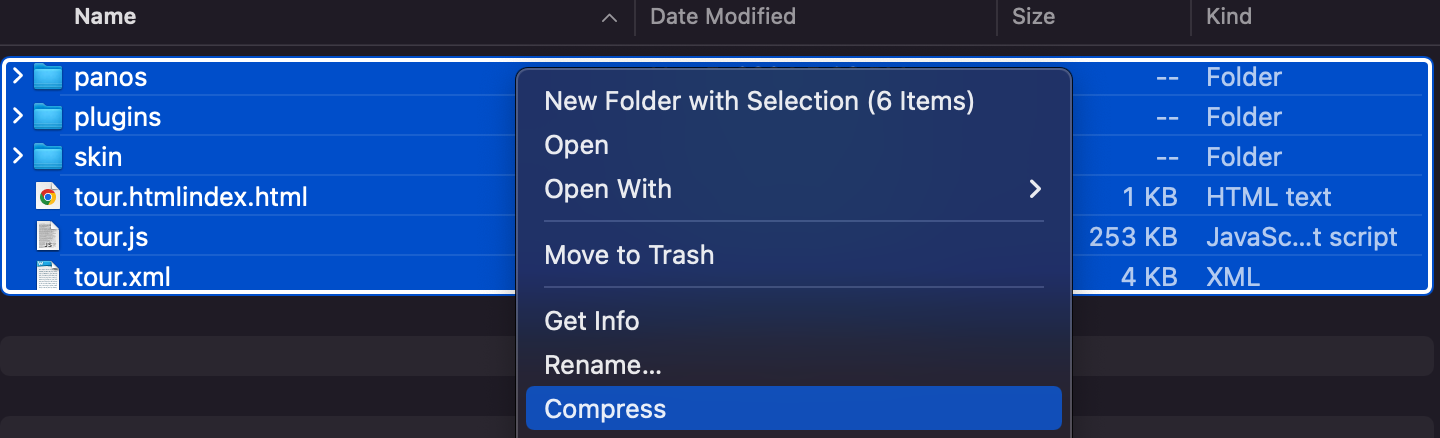
✅ Correct Compression Method
- Ensure that all resources such as
tour.html,/panos,/js,xml, etc., are located at the root level. - As shown in the image below, compressing all resources in a flat structure into a ZIP file and uploading it will allow the tour to function correctly.
- Ensure that all resources such as
❌ Incorrect Compression Method: Resources Are Nested Inside a Subfolder
- As shown in the image below, if the resources are placed within a subfolder (e.g., Pano2VR) and then compressed, the tour will not function correctly.
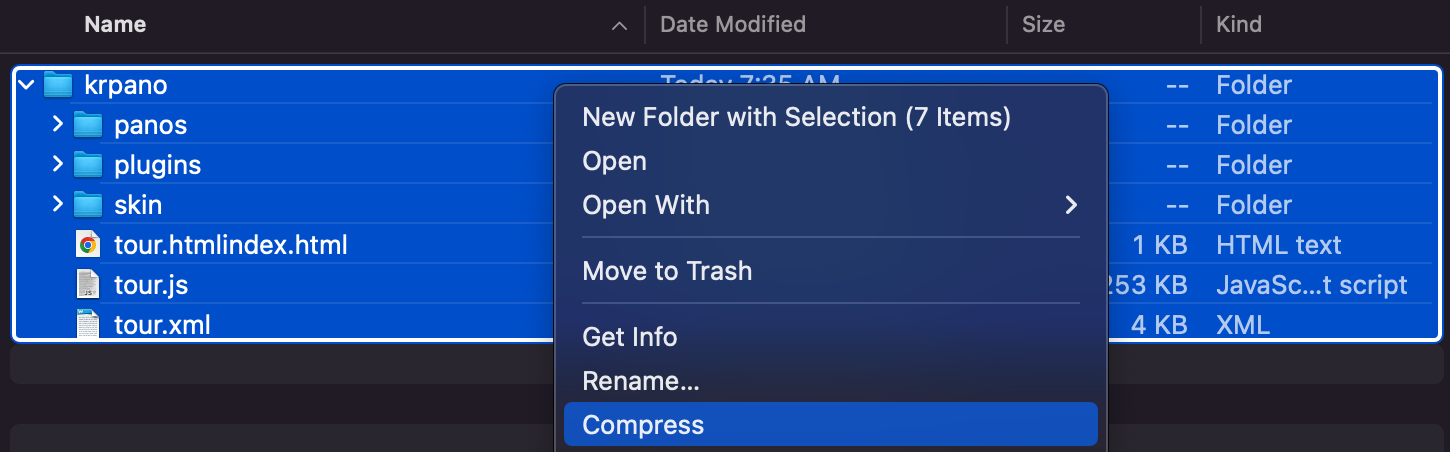
- As shown in the image below, if the resources are placed within a subfolder (e.g., Pano2VR) and then compressed, the tour will not function correctly.
3-2. Folder
Make sure to avoid nesting the resources inside any additional folder to ensure proper functionality.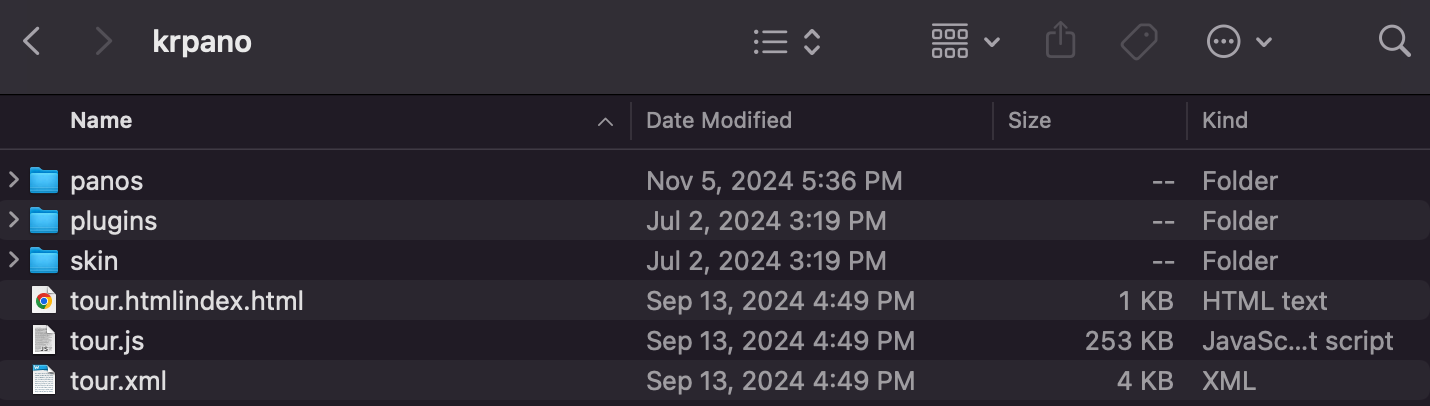
※ Important Notes
- While not mandatory, including files such as
index.html,.js, and.xmlis highly recommended for seamless functionality and compatibility.- Maintain the original folder structure as exported from krpano. Avoid changing file paths or creating nested folders.
4. Generate the Tour Link:
- Once the upload is complete, XROO will automatically generate a unique URL for your virtual tour.
- Use this URL to access and share your tour instantly on any web browser.
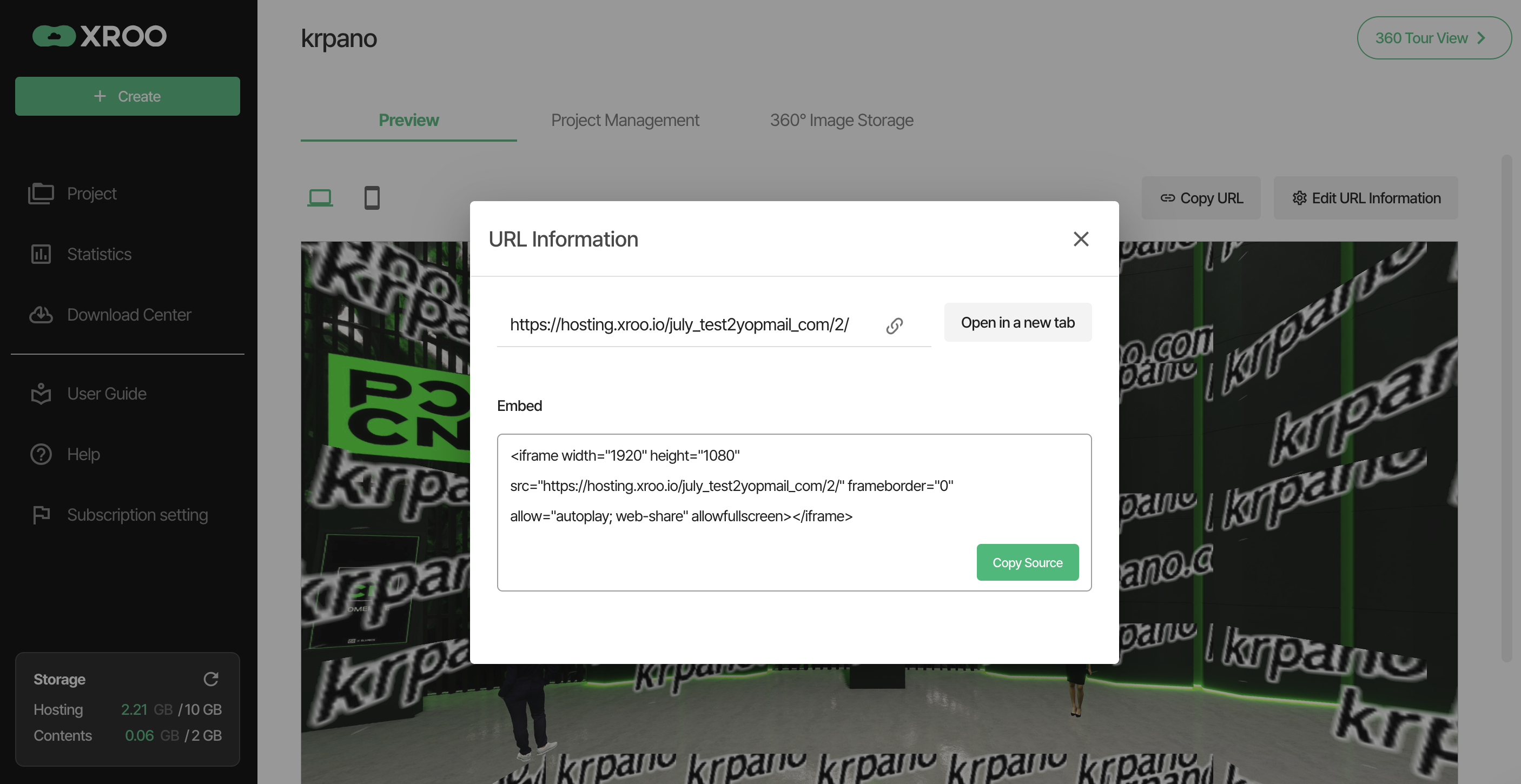
Step 3: Preview and Share Your Tour
After uploading your files to XROO, follow these steps to preview and share your virtual tour.
- Check the URL: Once the upload is complete, go to the project details page to view the generated URL.
- Launch the Tour:
- Click on the URL to open and view the virtual tour in your browser.
- Example URL:
https://hosting.xroo.io/sitename
- Share the Tour:
- Share the generated URL with others via email or social media.
- Embed the tour URL on your website for a seamless user experience.
※ Additional Notes
- File Size: If the exported virtual tour files are large, the upload process may take some time. Wait until the upload is fully completed.
- Maintain Folder Structure: Ensure the folder structure is as follows
├── tour.html
├── /panos
├── /js
├── /xml
- Avoid nested folders and maintain the original paths.
- Browser Compatibility: The URL provided by XROO works on all major web browsers. For the best viewing experience, use the latest version of your preferred browser.
Simplify Hosting with XROO
XROO allows you to quickly and easily host krpano virtual tours without complex server setups. With just a few clicks, you can generate a URL and share your immersive experiences with the world. Save time and effort by hosting your krpano tours on XROO today!